
Rob Run Aimbot FOV, Smoothing and Target Filters
ShxdowCheats lists a mouse bind, a controller bind and separate filters for civilians, cops and criminals under the Rob Run aimbot. The same feature section names adjustable FOV, smoothing and aim speed. If you’re checking whether a specific input or filter is included, it helps to know what each entry refers to.
Rob Run Aimbot Binds for Mouse and Controller
The Rob Run aimbot has a configurable bind for each input. ShxdowCheats also lists hold, toggle and always under activation. The bind tells you which input the feature recognises. The mode tells you how activation is handled. You’ll see the device and mode named separately on the product page. Shxdow Rob Run Cheat
There are two aim sections on the product page. The Rob Run aimbot section names controller support. The separate section for the other aim mode lists a mouse bind. The input list for each aim mode tells you where a store’s controller claim applies.
Rob Run Aimbot FOV and Target Distance
The Rob Run aimbot has an adjustable field of view and a separate maximum target distance entry. Aimbot FOV describes the area around the direction you’re looking in. Maximum target distance concerns how far away a player is. A player can be close but outside the view area, or near its centre but too far away for the distance limit.
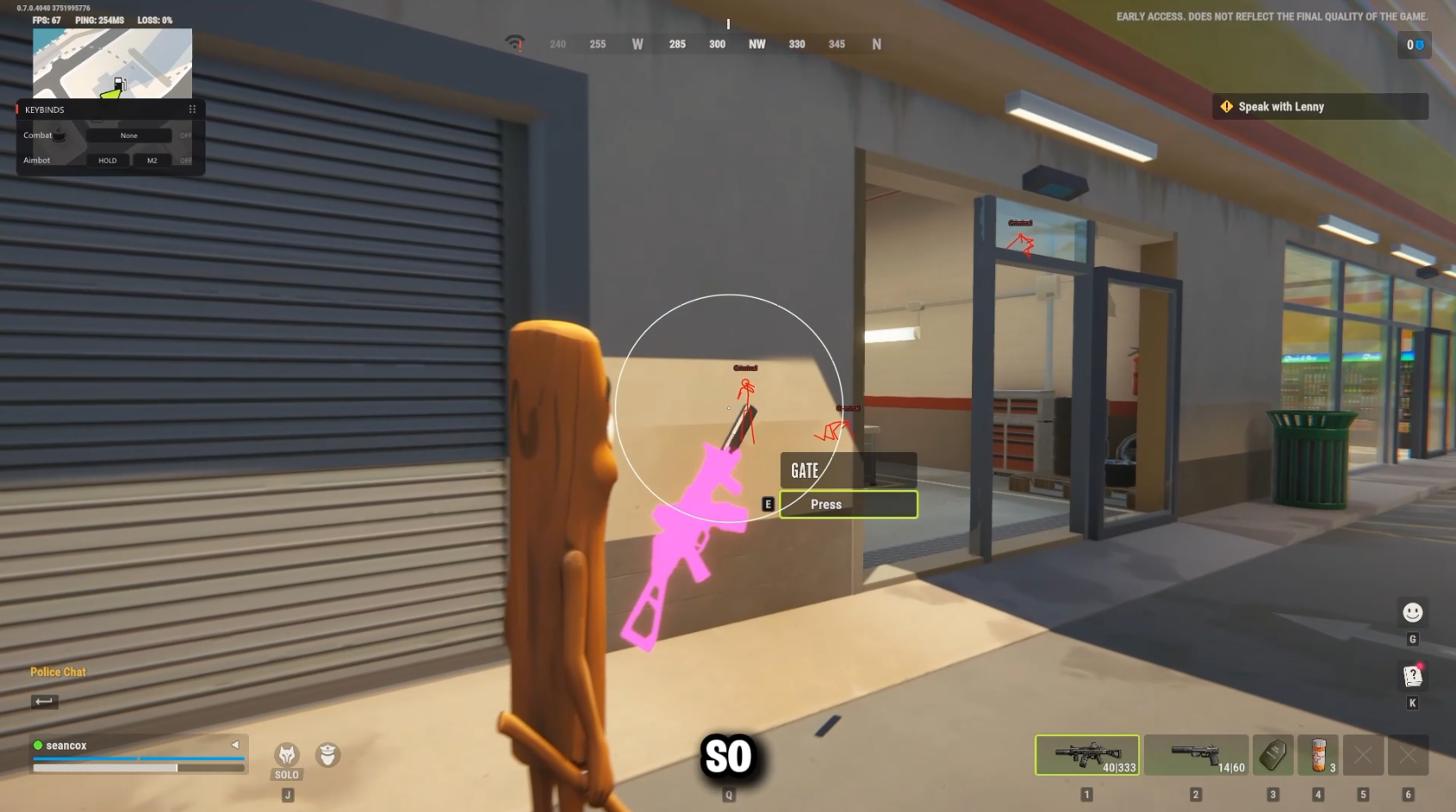
The Rob Run aimbot has a drawn FOV circle and a drawn target line in the feature list. A screenshot showing the circle illustrates one display option. ShxdowCheats has a separate Adjustable Dead Zone entry in the same feature group. The screenshot and the list give you different information about what’s included.
Rob Run Aimbot Target Filters and Bones
The role filters in the Rob Run aimbot refer to the roles you can encounter in Looty Bay. Civilians, cops and criminals each have a named filter. Bone targeting is listed separately and concerns a point on a player’s model. In other words, the role is a property of the player and the bone is a property of the model.
ShxdowCheats lists visible-only targeting and prediction under the Rob Run aimbot. When a player steps out of a doorway, being visible and moving across your view are two separate things. The first label concerns visibility. The second refers to movement. The store names both without giving a performance figure you can independently verify.
Rob Run Aimbot Smoothing and Target Switching
The Rob Run aimbot names smoothing separately from aim speed. Aimbot smoothing describes how gradually aim moves. Aim speed describes how quickly it moves. Stickiness and switch delay are also listed, and their labels concern following an existing target and changing targets. These are different parts of the same aim feature.
Rob Run Aimbot and Silent Aim Controls
You’ll see bone targeting in both the Rob Run aimbot and Rob Run Silent Aim feature sections. The controls for movement sit under regular Aimbot, and Shxdow lists hit chance and firing delay under Silent Aim. If you’re checking a single feature name, read the section heading it belongs to before assuming it applies across both modes.
If you opened this guide to check what the Rob Run aimbot includes, the useful details are the input list, the role filters and the entries for aim movement. Open the Rob Run cheats category to see the current product, or check the ShxdowCheats status page for the store’s latest report.