
Wardogs Aimbot: Hitting Infantry as the Fight Moves
A Wardogs aimbot helps acquire infantry as the fight changes around you. An opponent who was standing beside cover can move into the open while another crosses behind them. Your reason for wanting the cheat is often that short moment when the target is available and your own aim hasn't caught up. The aiming feature changes that part of the encounter.
Large fights make the choice of target matter. A Wardogs aimbot shouldn't be judged only by how quickly it moves towards somebody. You also need to understand which player it selects and when it changes targets. Our Wardogs cheats cover aiming and visuals, and this article focuses on the gunfight rather than the separate job of finding players.
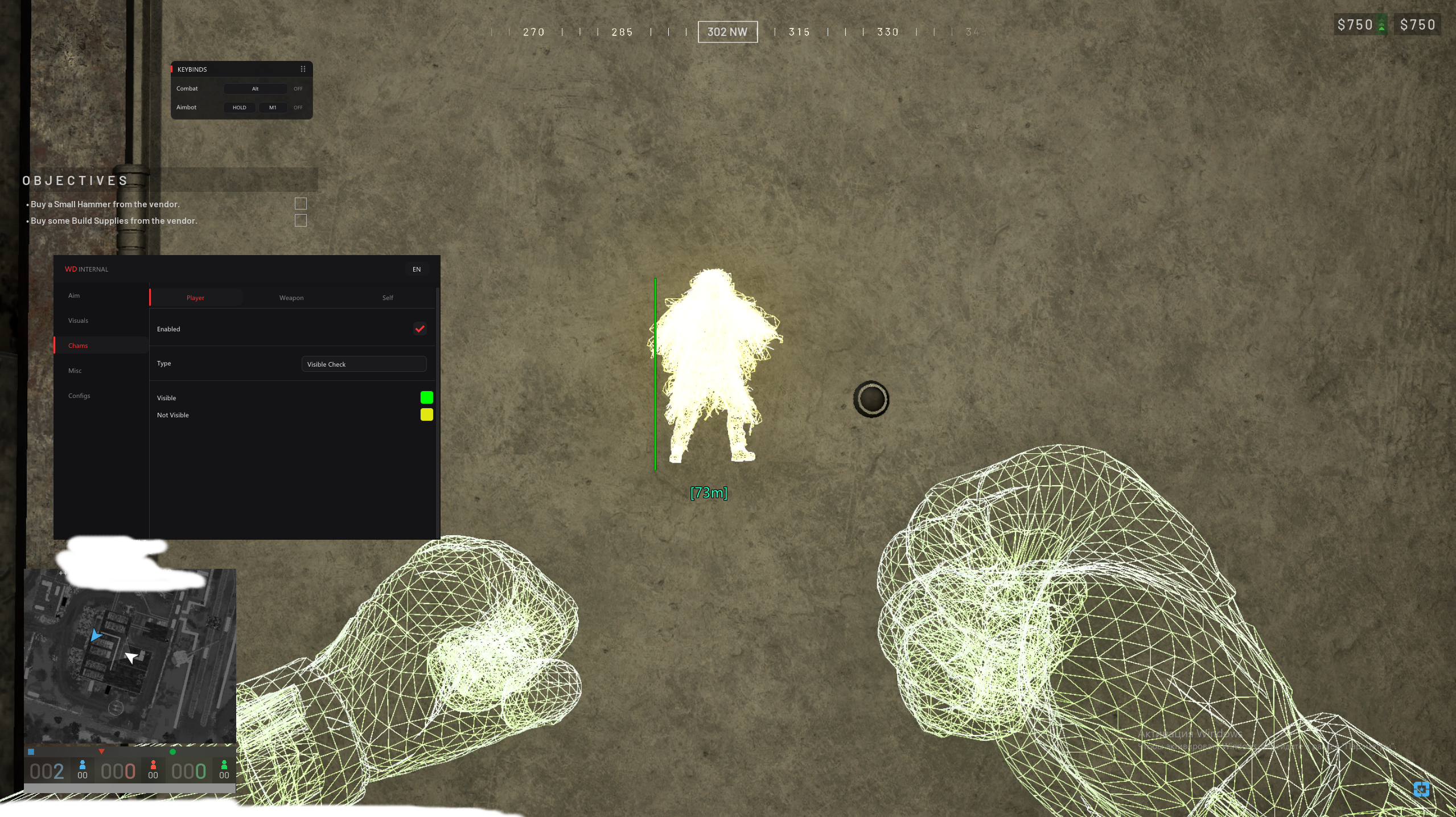
A moving fight creates more than one possible target
When several infantry players share an approach, turning towards the wrong one can waste the opening you wanted. The Wardogs aimbot in the internal cheat includes a target filter and target switch delay. Those functions affect how the aiming feature handles eligible players, which matters when one opponent moves away while another enters your view.
A Wardogs aimbot also has stickiness among its controls. That concerns staying with a target rather than treating every new candidate as an immediate reason to change aim. In a crowded encounter, the useful behaviour depends on the opponent you're engaging and the movement around them. Simply asking for the fastest movement doesn't address target selection.
The aiming point needs to fit the player you can see
Head targeting selects a different point from chest targeting. A Wardogs aimbot can be directed towards the named bone options in the internal cheat, including closest, head, neck and chest. Those choices matter when cover leaves only part of a player exposed. Selecting a bone doesn't enlarge the player or change the cover around them.
A visible check is included in the aiming features. With a Wardogs aimbot, that check is relevant to choosing an eligible player rather than merely displaying everyone nearby. Max distance also restricts the eligible range. You shouldn't assume the target farther across the map is the best one to engage when an opponent is already threatening your position.
Tracking is different from an instant adjustment
Aimbot smoothing makes ordinary crosshair movement more gradual. A Wardogs aimbot also lists speed separately, so the movement and the other selection controls need to be understood together. A target crossing your view creates a different aiming problem from one standing still beside a doorway. One number on its own doesn't describe the whole encounter.
A Wardogs aimbot uses an aim keybind for activation, which matters while your attention moves between travelling and engaging infantry. The draw target line option helps show the selected target. Our existing FOV and smoothing article explains the narrower menu questions in more detail. Here the point is the aiming advantage during an encounter that keeps changing.
Information helps you reach the fight you want
Player ESP concerns seeing opponent information rather than moving your aim. A Wardogs aimbot becomes relevant after that information leads to an engagement. Faction ESP can help identify the side a player belongs to in the internal cheat's visual display. Finding an infantry position and targeting that infantry player are related benefits, but they remain different functions.
Wardogs hacks can also include features that don't select a target at all. No Recoil affects weapon movement during firing. A Wardogs aimbot affects targeting, so a steadier weapon view isn't evidence that the aiming feature has acquired the right player. Keep the action tied to the part of the fight it actually changes.
Keep the sight picture separate from target selection
A FOV changer changes the game's view, while aimbot FOV concerns the eligible targeting area. A Wardogs aimbot shouldn't be explained as widening your view of the map just because both controls use the same abbreviation. You can see more of the surroundings without changing which aiming candidates are allowed. The two functions answer different problems.
Wardogs PC cheats also need to fit the product's stated requirements. The internal cheat names Steam and Windows support, rather than a console version. A Wardogs aimbot search should therefore lead you to the appropriate PC product and its instructions. It doesn't establish that a controller setting or an unrelated game cheat provides the same function.
Follow the documented aiming product
The Wardogs Internal Cheat contains the aiming controls discussed here. A Wardogs aimbot can help with acquiring infantry, but it cannot promise a win or permanent protection from bans. Use the FOV and smoothing guide for control details and the ESP article for the positional information that helps explain where a fight is developing.
Wardogs Cheat Questions
Does an aimbot decide the wider map for me?
No. It concerns targeting during an engagement. Player visuals and your own decisions address the wider situation.
Are head and chest choices the same?
No. They select different aiming points on the player. Neither choice enlarges the character's hitbox.
Can an aimbot guarantee a win?
No. It changes targeting during an engagement. Your position, the wider fight and objective decisions still matter.