
How No Recoil Works in Wardogs
When your view moves during a burst in Wardogs, the cause is not always the same. Weapon recoil, your own mouse movement and aimbot movement can all affect where you are aiming. No recoil addresses the recoil behaviour. Understanding that distinction helps you work out why a burst feels different without changing every part of the cheat at once.
Wardogs no recoil is included in Wardogs Internal, one of our Wardogs cheats. The product also includes an aimbot, ESP, chams and a FOV Changer, but those features perform different jobs. This guide explains what belongs to recoil control, what belongs to target movement and how to keep those effects separate when judging your aim.
What no recoil changes during a burst
Weapon recoil is the movement associated with firing. No recoil is intended to counter or remove that recoil behaviour, depending on the cheat's implementation. Wardogs Internal includes No Recoil. Removing weapon kick still leaves you responsible for aiming at an exposed opponent.
An opponent can still move away from where you are aiming. Your crosshair can still start in the wrong place. A burst can also continue after the target has gone behind cover. Those are aiming and positioning problems, not evidence that recoil alone determines the result. When you judge Wardogs no recoil, pay attention to movement during the shot sequence rather than treating the final hit result as the only explanation.
Recoil control and aimbot movement have different jobs
A Wardogs aimbot selects and follows a target point. Recoil control concerns the firing-related movement. If the crosshair travels towards another opponent while you are shooting, that can be a selection change rather than recoil returning. The distinction matters when two players cross near a container or doorway, because the movement may coincide with a burst and look like a weapon issue.
Aimbot smoothing and aimbot speed affect movement towards the selected target. Target stickiness and target switch delay affect retaining or changing that target. Wardogs Internal documents all four separately from No Recoil. Look at what changed first: the selected opponent, the speed of the movement, or the firing itself. That gives you a useful explanation instead of treating every movement as the same fault.
Why FOV can change how recoil feels
The camera's field of view affects how much of the scene appears on screen. Changing it can change your perception of movement and target size without changing which recoil feature is enabled. Wardogs Internal's FOV Changer is therefore separate from its No Recoil feature. Keep your camera view consistent while you judge recoil, otherwise you are changing how the movement looks at the same time.
Aimbot FOV has a different purpose again. It describes the targeting area around your crosshair, not the camera view and not the amount of weapon recoil. A wider targeting area can introduce another eligible opponent during a burst. If your crosshair moves towards that player, inspect target selection before assuming the FOV adjustment changed recoil. Similar terminology does not make these controls interchangeable.
Checking activation and the selected target
Check the aim keybind when aiming activates at a moment you did not expect. A shared or easily pressed key can explain why the aimbot starts moving while you are concentrating on firing. The target line can help identify the selected opponent, while head targeting and chest targeting explain which part of that opponent the cheat is following. These details make the movement easier to interpret.
Visible Check concerns whether an opponent meets the visibility condition. It does not describe weapon recoil, and an opponent moving behind cover can alter the targeting situation during the same burst. In Shxdow Wardogs Internal, these features sit beside one another because they address different parts of aiming. Judge them individually before deciding which behaviour needs attention.
Keeping weapon appearance separate from recoil
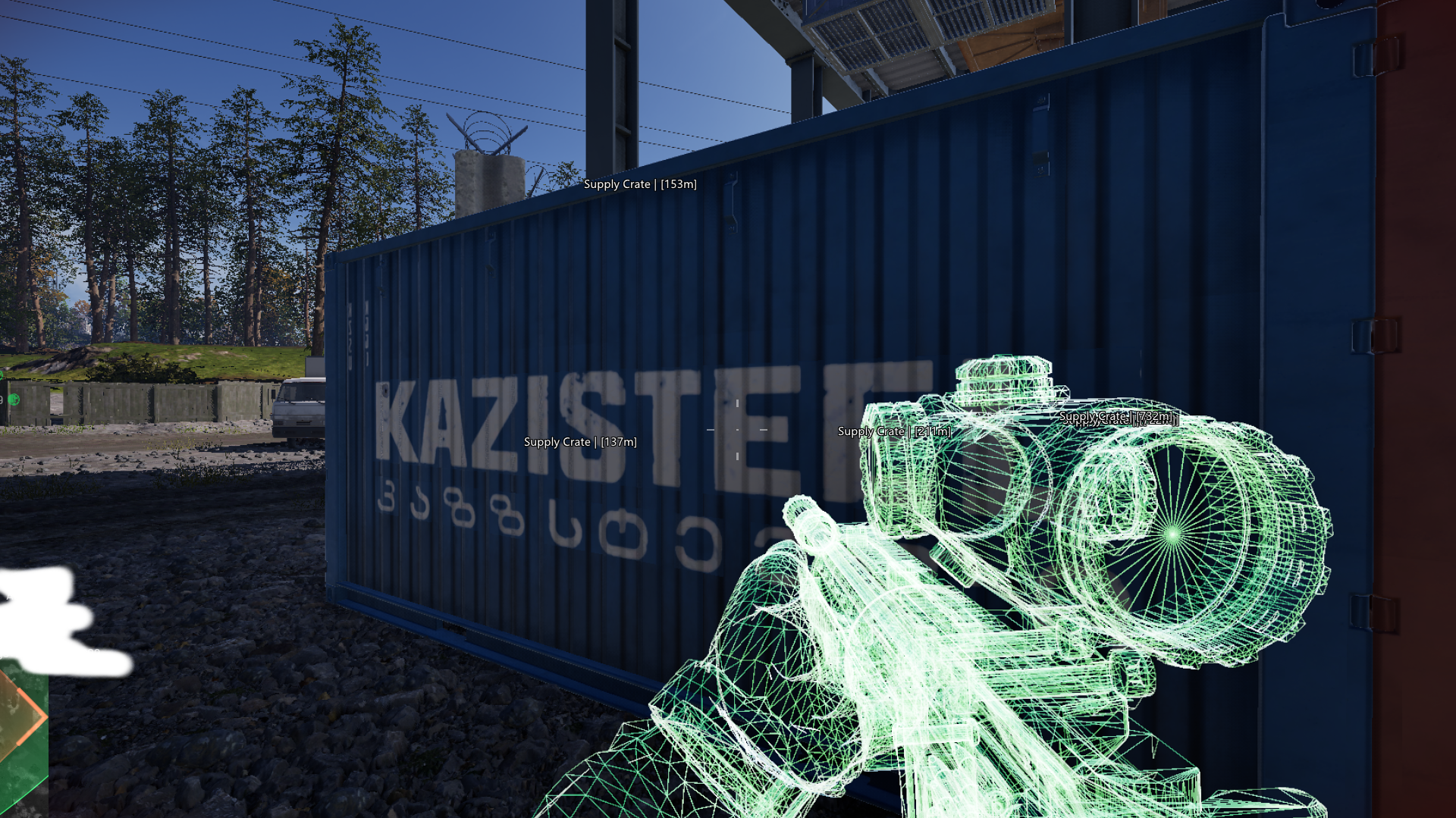
Weapon chams change the appearance of the weapon. A brightly coloured or wireframe-looking gun in a screenshot is not proof of what happens when it fires. The same applies to the colour of your hands or the way another player is highlighted. Shxdow's screenshots demonstrate the appearance of specific features, while the No Recoil entry establishes that recoil is part of the Internal product's feature set.
Keep one question in focus when checking a change. If the problem is recoil, observe firing-related movement with the same weapon and view. If the problem is a target change, look at selection and switching. This avoids adjusting unrelated features because they happen to be visible at the same time. No recoil also carries no guarantee about undetected status; its purpose is to change recoil behaviour, not establish account safety.
Wardogs No Recoil Questions
Does Wardogs Internal include no recoil?
Correct. No Recoil appears in the documented Wardogs Internal feature set, separately from the aimbot, ESP, chams and FOV Changer.
Does no recoil select a target for me?
No. Target selection belongs to the aimbot. No recoil addresses firing-related recoil, so the two features should not be treated as the same action.
Why can my crosshair still move with no recoil enabled?
Your own input and aimbot movement can still change where you are aiming. Check whether the movement follows firing or a target change before changing the recoil feature.